Project
Lead lists from Google Maps
A workflow that takes a city and a keyword and returns a Google Sheet of matching businesses with the contact emails published on their websites.
Project snapshot
- Industry
- Sales
- Input modalities
- A city nameA keywordGoogle Maps listingsBusiness websites
Situation
The situation
Building a lead list by hand means searching a map area by area, opening each business website, and copying contact details into a spreadsheet.
The build
What I built
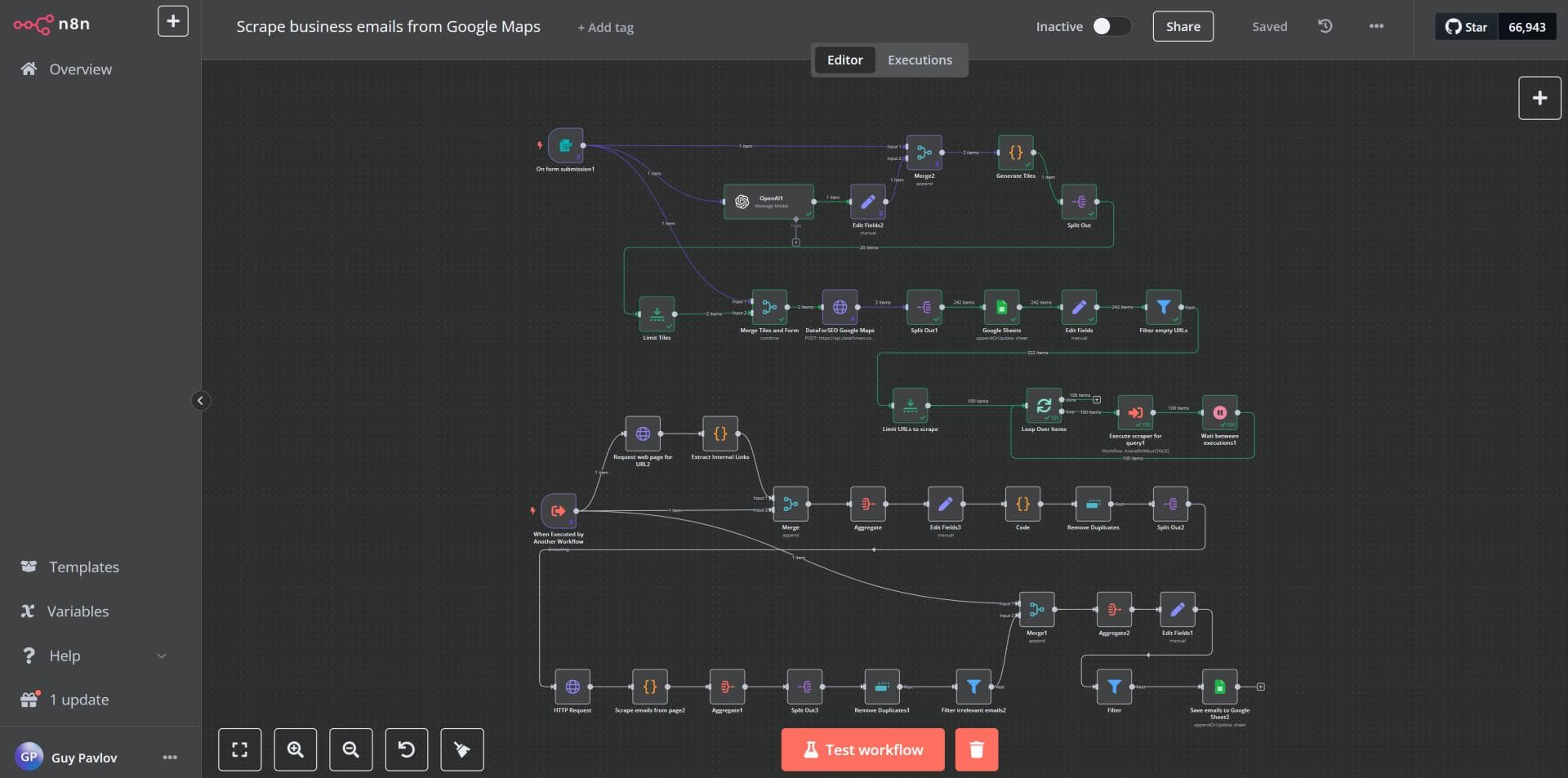
I built an n8n workflow that splits the city into map tiles, collects the matching businesses in each tile, visits each business website, and saves the emails it finds to a Google Sheet.
In use
What it does
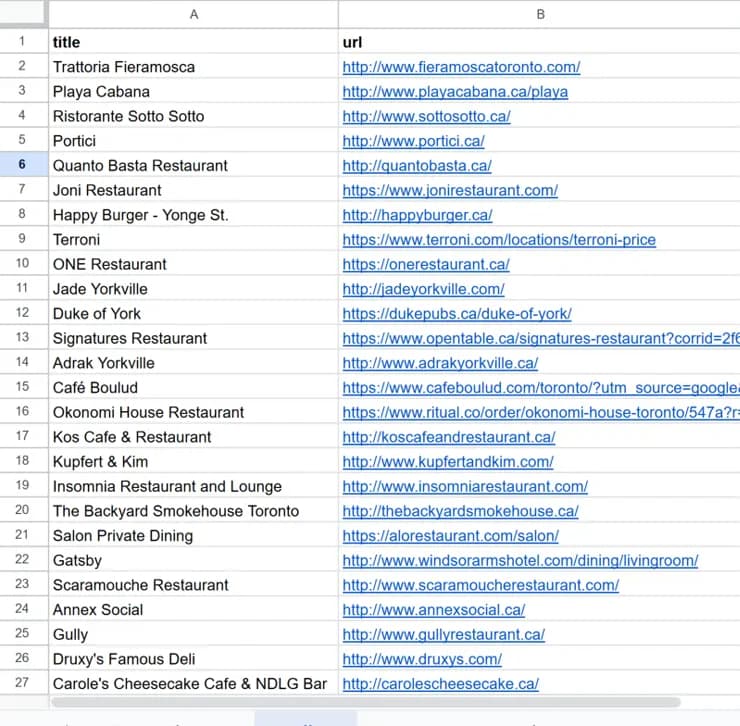
- A city and a keyword go in. A Google Sheet of businesses, websites and emails comes out.
- The search works through the city tile by tile, at a zoom level you choose.
- The workflow checks the internal pages of each business website for an email.
In detail
A closer look at the problem and how the build works.
The situation
A lead list for one city and one type of business is slow to build by hand. Someone searches the map area by area, opens each website, looks for a contact email, and pastes it into a spreadsheet.
What I built
I built the whole task as one n8n workflow. It starts from a short form and ends with a Google Sheet.
How it works
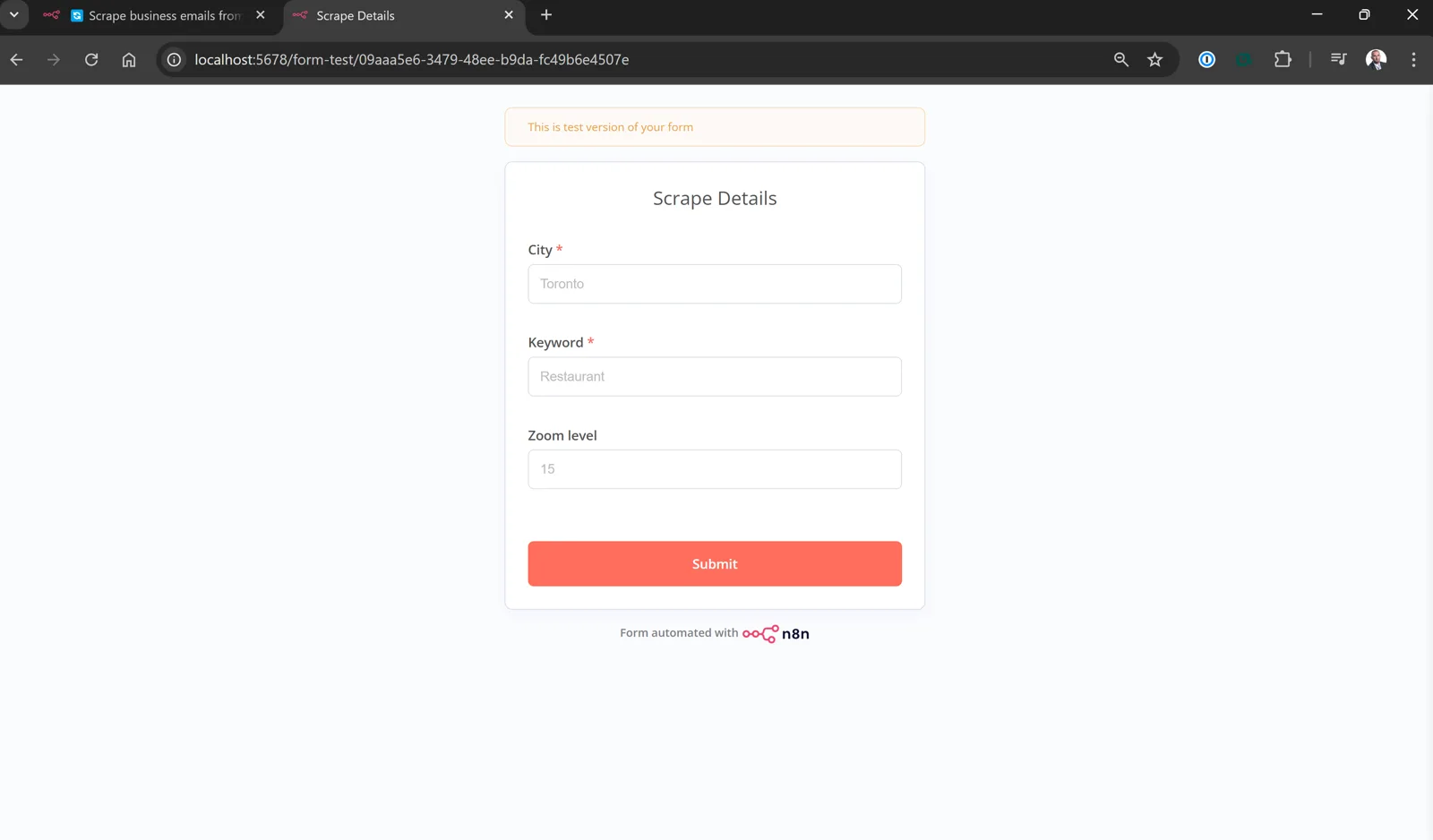
- You enter a city, a keyword and a zoom level.
- The workflow divides the city into map tiles.
- For each tile it collects the matching businesses from Google Maps.
- For each business it visits the website and looks for an email on the internal pages.
- It removes duplicates and saves the list to a Google Sheet.
More screens from this project